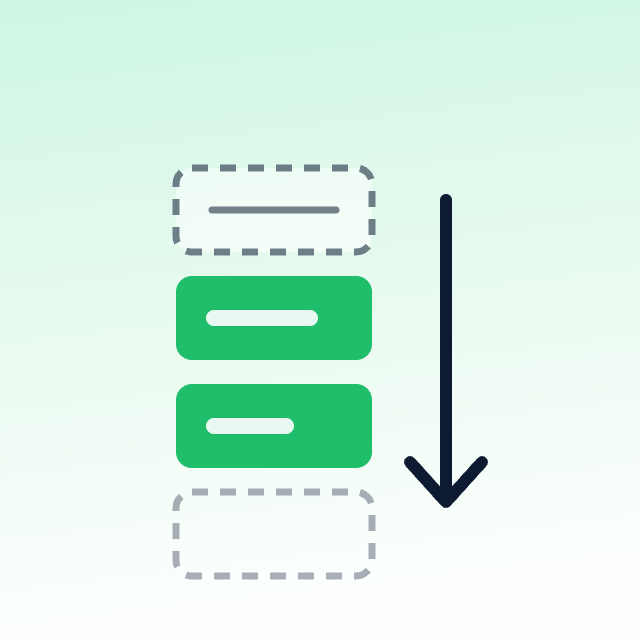
A sold-out product in the first row of your collection page is a dead click. The shopper taps it, sees “sold out,” and a meaningful share of them leave rather than backing out and trying again. On a store with steady stockouts, this quietly costs you conversions every day.
Here are the four ways to fix it, from simplest to most capable.
Option 1: Shopify’s Native Setting (Free, 30 Seconds)
Shopify has a built-in setting most merchants don’t know exists. It automatically moves out-of-stock products to the end of collections that use automatic sorting.
- Go to Settings > Products in your Shopify admin (in some plans this appears under Products > Collections preferences).
- Find the option to sort out-of-stock products to the bottom of collections.
- Enable it and save.
What this covers: Collections using automatic sort orders — best selling, price, title, date.
What it doesn’t cover: Collections set to Manual sort. This is the important limitation. If you’ve hand-arranged a collection, Shopify respects your order exactly as set, sold-out products included. Manual collections are precisely the ones merchants care most about, so this setting often misses the collections that matter.
If all your collections use automatic sorting, you’re done — stop here and go do something else.
Option 2: Shopify Flow (Free on Eligible Plans)
Shopify Flow can react to inventory changes and act on the product. The most common pattern is tagging rather than direct reordering:
Trigger: Inventory quantity changed
Condition: Inventory quantity is less than or equal to 0
Action: Add product tag out-of-stock
Then a second workflow removes the tag when stock returns. Once products are tagged, you can:
- Use the tag in an automated collection condition to exclude sold-out products entirely.
- Use it in your theme to visually de-emphasize those cards.
- Feed it into a sorting app’s rules.
Strengths: Free on Shopify plans that include Flow, and reliable for tag-based logic.
Limits: Flow tags products; it does not directly reorder a manual collection’s positions. And excluding sold-out products from a collection entirely is a real trade-off — you lose the SEO value of those product URLs being linked, and shoppers can’t see that you carry the item at all. Usually demoting beats hiding.
Option 3: Handle It in Liquid (Free, Requires Development)
If you want sold-out products to appear last without changing the collection’s actual sort order, you can reorder at render time in your theme.
The straightforward approach splits the loop into two passes — available products first, then sold-out ones:
{% liquid
  assign available_products = collection.products | where: 'available', true
  assign sold_out_products = collection.products | where: 'available', false
%}

<div class="product-grid">
  {% for product in available_products %}
    {% render 'product-card', product: product %}
  {% endfor %}

  {% for product in sold_out_products %}
    {% render 'product-card', product: product %}
  {% endfor %}
</div>
The catch, and it’s a significant one: this only reorders products within the current page. Liquid’s where filter operates on the paginated set, not the whole collection. If a collection paginates at 24 products and page 1 contains eight sold-out items, those eight move to the bottom of page 1 — they don’t move to page 4. For collections that fit on a single page, this works well. For large paginated collections, it produces confusing results.
There’s a second issue worth knowing: product.available is true if any variant is in stock. A product where only the XXL is left still counts as available, and will be treated as fully in stock by this code.
This approach fits stores with small collections, or as part of a larger custom merchandising build where the pagination behaviour is handled deliberately.
Option 4: A Merchandising App (Covers Manual Collections)
Sorting apps solve the case the native setting misses — they can reorder manual collections and apply stock rules alongside other merchandising logic, at the collection level rather than the page level.
We built RankFlo for this. (Disclosure: RankFlo is built by our team at Capaxe Labs.) Out-of-stock demotion runs automatically alongside bestseller promotion, so the collection reflects both availability and performance without manual upkeep. It works with any theme, requires no code, and the free tier covers up to 100 products and 5 collections.
Other apps in this category handle the same job — Bestsellers reSort is the long-established rule-based option, and Kimonix adds AI personalization if you need it. Any of them will beat leaving sold-out products in row one.
Which Option to Choose
| Your situation | Use |
|---|---|
| All collections use automatic sorting | Native setting — free, instant, done |
| You need tag-based logic for other automations too | Flow |
| Small single-page collections, comfortable in Liquid | Theme-level reorder |
| Manual collections, or you want sorting rules beyond stock | Merchandising app |
Start with the native setting regardless — it takes half a minute and handles every automatically sorted collection. Then check whether your important collections are set to Manual. If they are, that’s where the actual leak is, and that’s where the other three options earn their keep.
Don’t Hide Them Entirely
One last point, because it’s a common instinct: resist removing sold-out products from collections completely.
Those product pages accumulate SEO value, backlinks, and reviews over time. Removing the internal links to them weakens all of that. Shoppers also use availability as a signal — seeing a sold-out bestseller tells them the product is popular, and a back-in-stock signup on that page captures demand you’d otherwise lose.
Demote them, mark them clearly, and offer a restock notification. That converts a dead end into a captured email. We cover the implementation in our back-in-stock pattern.
Related reading: The complete Shopify collection sorting guide and super collections and page performance.
